Create polished dog portraits from photos you already love
Before and after
These are sample dog images for demonstration purposes.
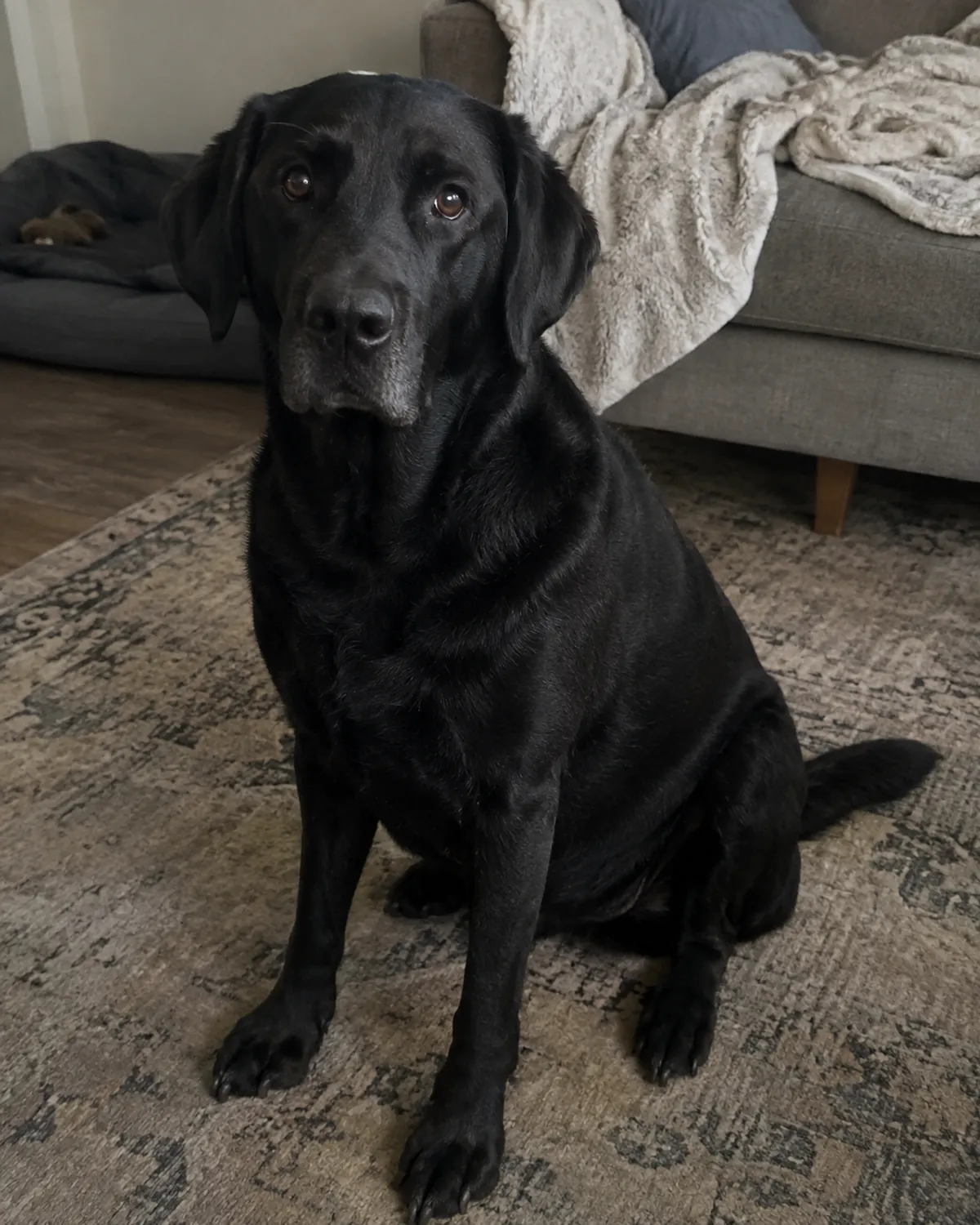
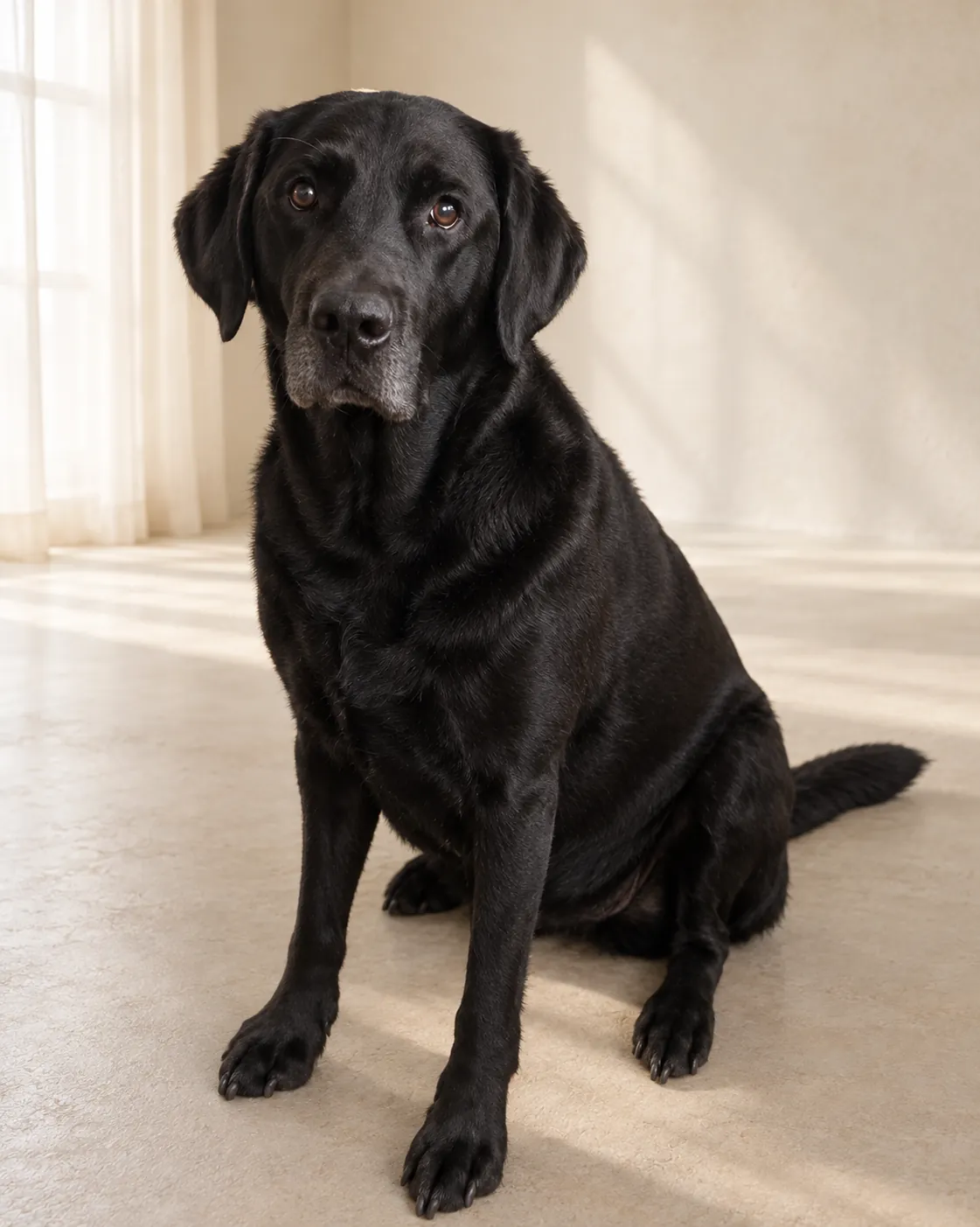
Turn a clear everyday dog photo into a consistent portrait album with a warm studio, nature, home or editorial setting—without arranging a traditional pet photo shoot.
Start with a photograph that already feels like your dog
DogPhoto starts with a photograph you upload and makes an AI-edited portrait around the dog in that photograph. The aim is a recognizable result that keeps the individual dog in view, while the chosen setting, crop, light and fine coat details may change. Think of the result as an edited interpretation of your source, rather than a retouched copy in which every pixel is preserved. Review the finished portrait before using it anywhere that requires an exact likeness.
This approach suits people who have a clear everyday photo they like and want to give it a considered setting. It does not require you to arrange a studio, travel with your dog or coordinate a photographer's schedule. The original image is still the starting point, so a useful result begins with a photo that shows the dog clearly. DogPhoto is a digital photo service; it does not arrange an in-person session or deliver a printed product.
Choose a source photo with room around the dog
Use one complete, recognizable dog in a clear photo. Leave some space around the ears, paws and tail so the outline is visible instead of cut off by the edge of the frame. Soft, even light and visible eyes make it easier to read the dog's expression. A calm pose can also help when you want a portrait that feels composed. These are practical selection tips, not a promise that every suitable-looking photo will produce an identical result.
Avoid severe blur, screenshots, collages, heavy filters and strong digital zoom. A person or object covering the dog makes the source harder to interpret, as can a pose where important parts of the body disappear behind furniture or another animal. If you are choosing among several photos, compare focus, visibility and open space around the outline before choosing a style. The photo check can offer guidance, but it cannot repair missing detail or guarantee that an unsuitable frame will work.
Pick a setting that fits the portrait you have in mind
Available portrait directions include warm studio, nature, home and editorial settings. Think about where you may use the picture: a quiet studio look can suit a keepsake, an outdoor scene can fit a dog whose photos are usually made on walks, and a home setting can feel familiar. These are choices of visual direction, not separate photography appointments. The selected setting is part of the edited portrait and may affect its background, lighting and composition.
For a group of portraits, decide what should make them feel connected before uploading. You might use the same setting for several dogs or keep a similar mood while choosing individual source photos. The source images still differ in pose, coat, light and camera angle, so a shared setting does not make every result identical. If consistency matters for a club page or family album, review the finished images together and keep the versions that work as a set.
Know what is included in a finished photo
A successful paid photo includes a full-resolution portrait, a transparent PNG cutout derived from the source photo, social-media crops and an album ZIP. The full-resolution portrait is the AI-edited image with its selected setting. The cutout serves a different purpose: it separates the photographed dog from its original background and can be placed over a background in software that supports PNG transparency. Social crops are ready-made sizes for common sharing layouts.
The order is delivered digitally. Download the files and open them at the size and in the layout you intend to use; a small preview may not show every edge or detail. Keep your own copies if you want access beyond the private availability shown for your order. DogPhoto does not send prints, frames or physical keepsakes. For printing or publication, check the destination's file requirements and inspect the image at a useful size first.
Review the portrait and use the included refinements thoughtfully
After payment is confirmed, personalized image processing can begin. Each successfully processed photo has up to two guided refinements available. A refinement is a way to request a focused change to the portrait; it is not an unlimited editing session or a guarantee that every requested detail can be reproduced exactly. Look at the dog's face, markings, body shape, pose and the way the image meets its background before deciding whether to ask for a change.
The service aims to keep the dog recognizable, but AI editing can alter fine details and cannot verify a dog's identity. If an output changes a feature that matters to you, use the order's available correction path and describe the visible issue clearly. Save the final files you prefer. A refinement can produce another edited result, so compare it with the earlier version rather than assuming the newest result must be the best choice.
A practical alternative when a traditional session is not convenient
An online portrait workflow can be convenient when you already have a suitable photo and want a different setting without arranging an in-person appointment. You can work from home, choose a visual direction and receive files for your own digital use. This can be helpful for a keepsake, a profile image or a coordinated album, especially when travel or scheduling is difficult for the dog or its family.
A traditional photographer can guide posing in person, adjust lights and camera placement while the dog is present, and make fresh photographs during the session. DogPhoto cannot provide that hands-on direction. It works from the picture you supply, so it cannot recover an unseen angle or recreate a moment that was never photographed. Choose the method that suits your goal, and use a traditional shoot when live guidance or new source photographs are the important part of the experience.
Pricing
- 1 photo: €1.99
- 5 photos: €9.95
- 20 photos: €39.80